Banner DocsContact ↗Contact ↗ (opens in a new tab)
GitHubGitHub (opens in a new tab)
  • Overview
    • Basics
    • Add a Banner
    • MCP Authentication
    • MCP Banner Fields
    • TextblockBanner
    • DisclosureBanner
    • TileCardBanner
    • DoubleTileCardBanner
    • HeadlineBlockBanner
    • HeroBlockBanner
    • ImageBlockBanner
    • ImageGalleryBanner
    • ImageSliderBanner
    • ListblockBanner
    • SimpleTileCardsBanner
    • VideoBlockBanner
    • VideoSliderBanner
    • CarConsumptionInfoBanner
    • GridWrapperBanner
    • InventoryCarBanner
    • CarDealBanner
    • IframeBanner
    • ButtonBlockBanner
    • CarDealsArchiveBanner
    • InventoryCarsArchiveBanner
    • ContactPersonsArchiveBanner
    • LocationsArchiveBanner
    • ManagementBanner
    • LocationBanner
    • Overview
    • ProductArchiveBanner
    • CollectionArchiveBanner
    • UpsellBlockBanner
    • ProductDetailBlockBanner
    • CompactProductDetailBlockBanner
    • ImageProps
    • SimpleImageProps
    • DynamicLink
    • Utility CSS Classes
    • File
    • DynamicForm
    • Theme
  • Pages
  • Header
  • Footer
  • Caching
    • Overview
    • MCP OAuth

On This Page

  • Props
  • Example
Question? Give us feedback → (opens in a new tab)Edit this page
Banners
InventoryCarBanner

InventoryCarBanner

Renders a single inventory car detail view.

Includes the common banner props.
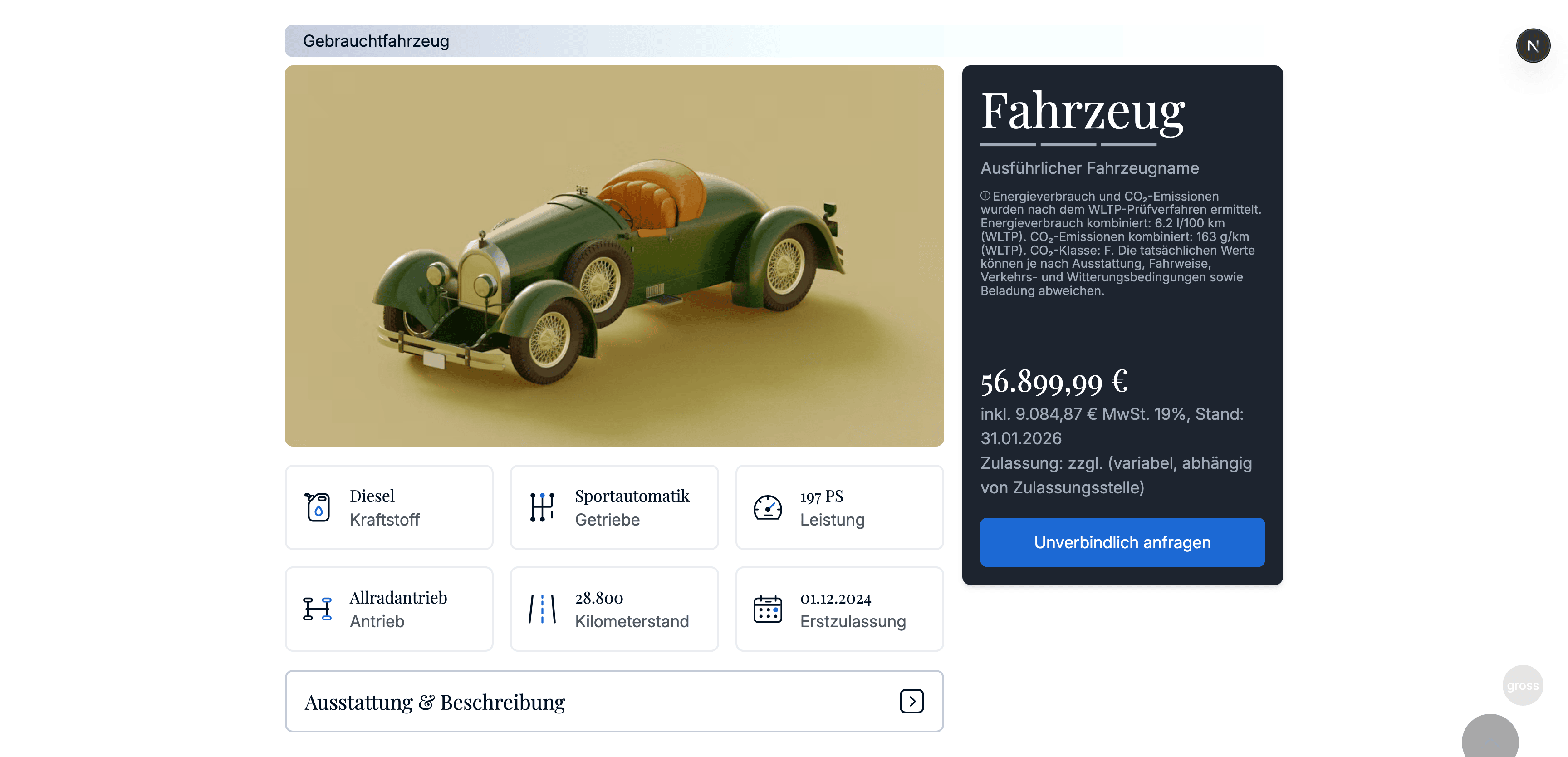
Inventory car block preview

Props

id●
string
required

CMS id.

car●
InventoryCar
required

Inventory car entity (full vehicle data).

contactForm●
DynamicForm | null

Optional form configuration shown alongside the car (e.g. inquiry form).

Example

const banner: InventoryCarBanner = {
  typename: BannerTypename.InventoryCarBanner,
  id: 'b_123',
  title: null,
  titleTag: 'h2',
  titleAlign: 'left',
  cssId: null,
  cssClasses: null,
  car: {} as any,
  contactForm: null
};
GridWrapperBannerCarDealBanner

© 2026 | Banner Docs